Habits that fit real life
Schedule a habit every day, on specific weekdays, or a number of times per week. Give each habit its own icon and color. One tap to check in, one tap to undo.
Habit Tracker & Focus Timer for iPhone
Build habits that last. Pick a habit, run a focus session, check it in. Streaks forgive a rest day, reminders stay quiet, and your data stays on your iPhone.
No sign-up and no sign-in.
Habits, check-ins, and sessions are stored on your device.
No feed. No guilt.
One gentle reminder per habit, at the time you choose.
The app
KeepIt is a calm habit tracker with a built-in focus timer. Pick a habit, start a session, and check it in when you’re done. That’s the whole loop.
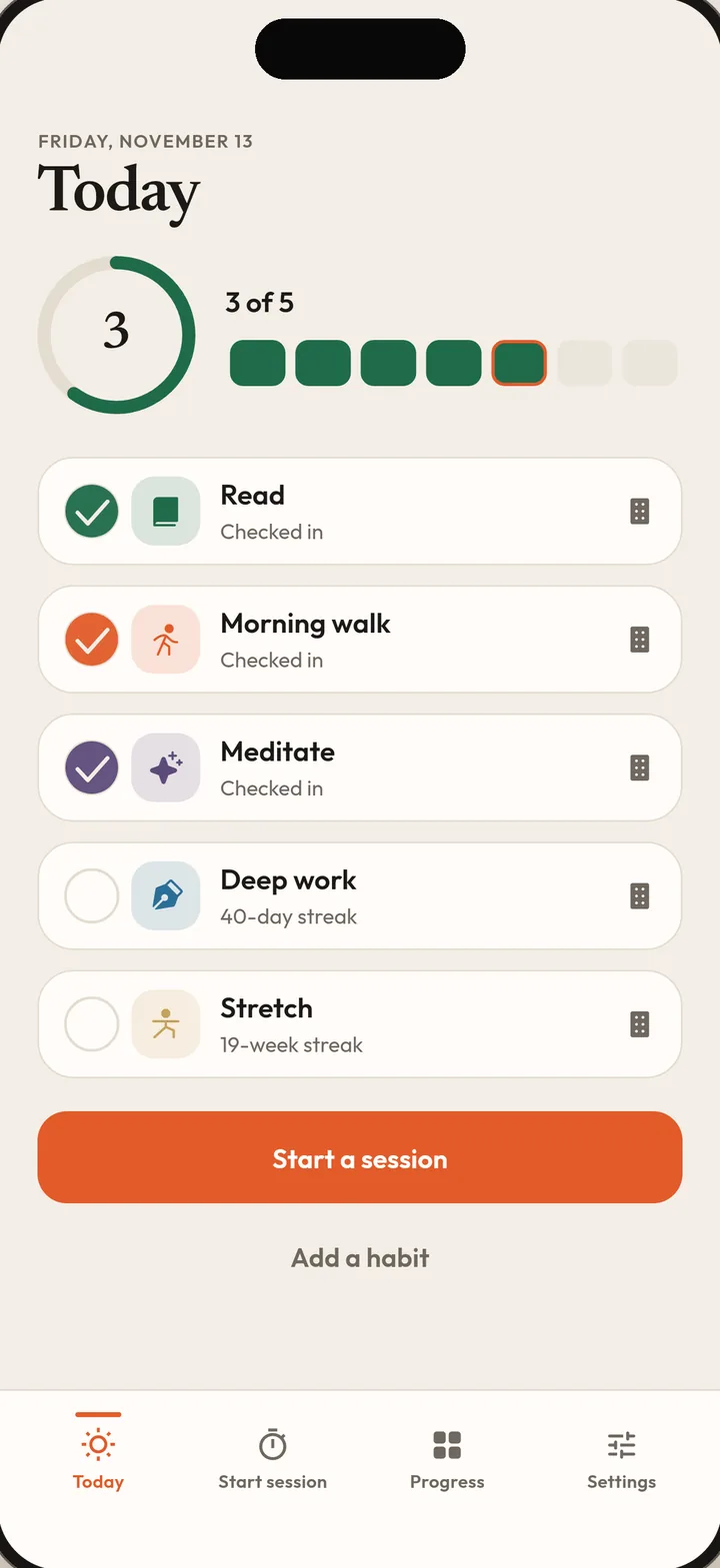
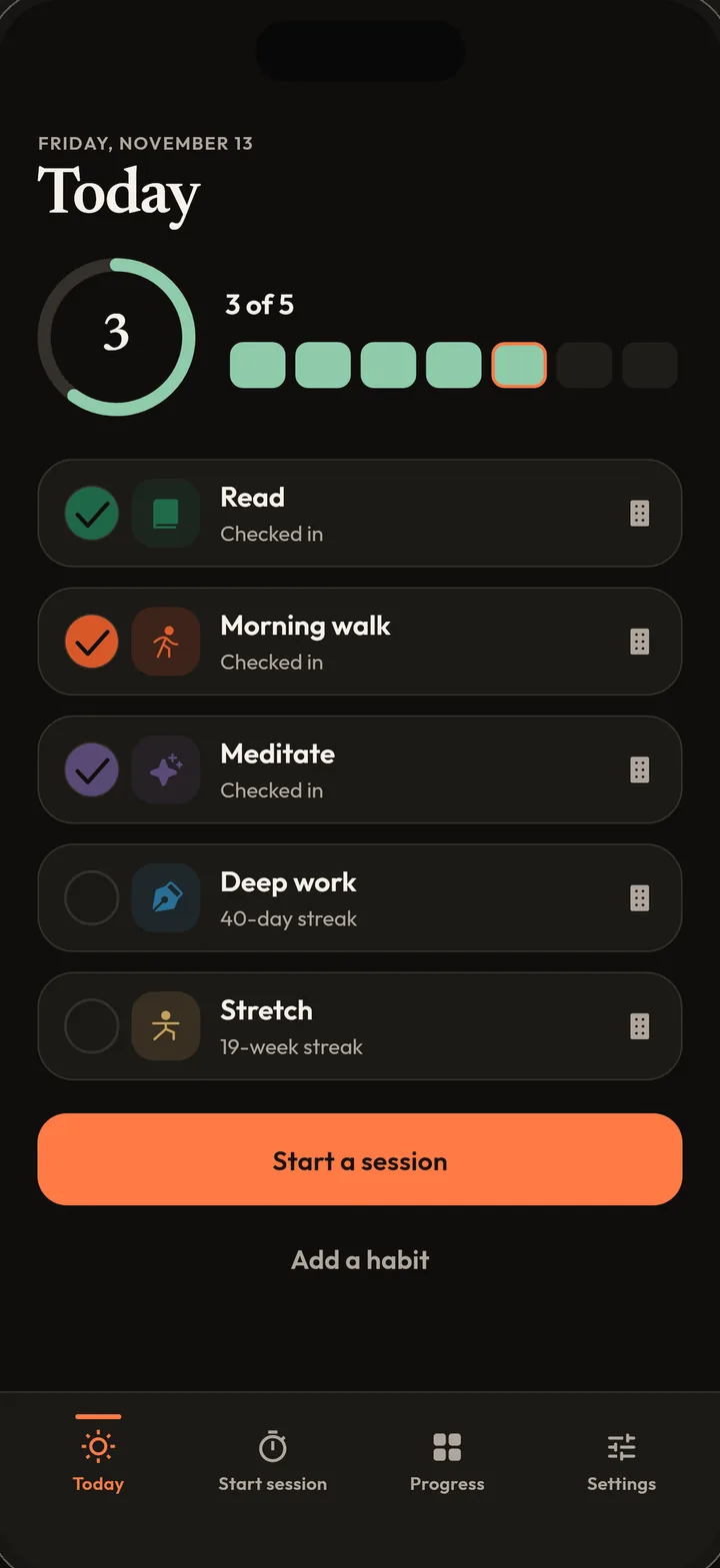
See today at a glance. Check in with one tap.
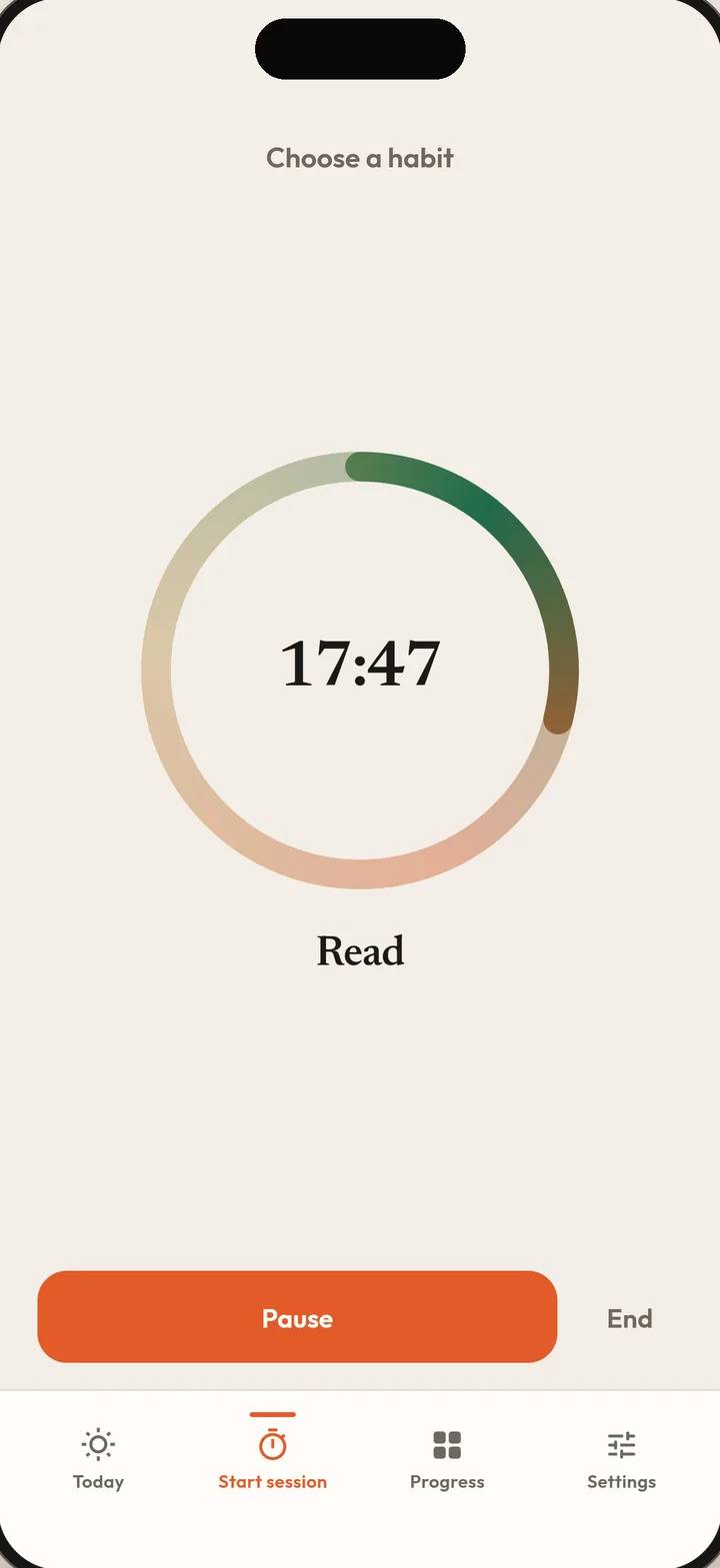
Finish a session and the habit checks itself in.
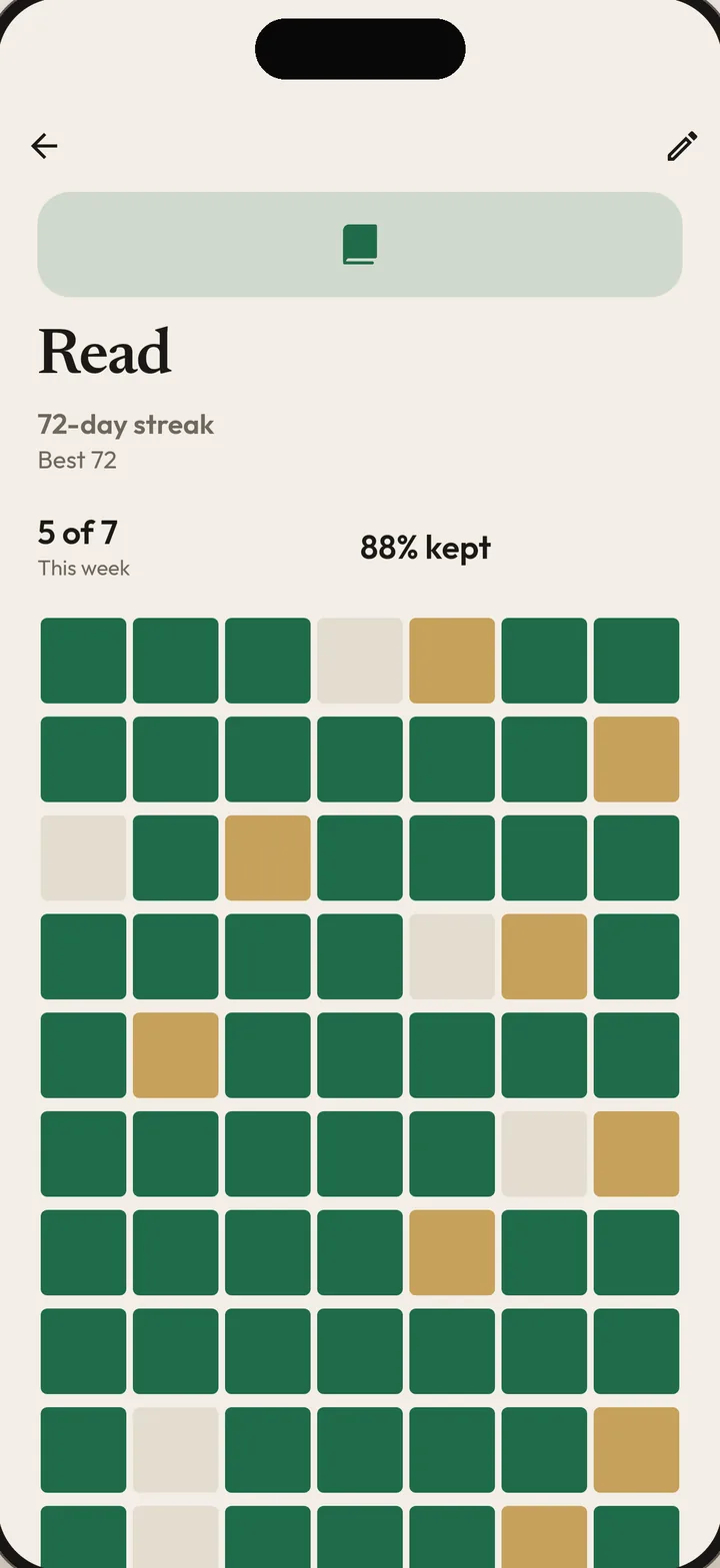
One day off never erases your progress.
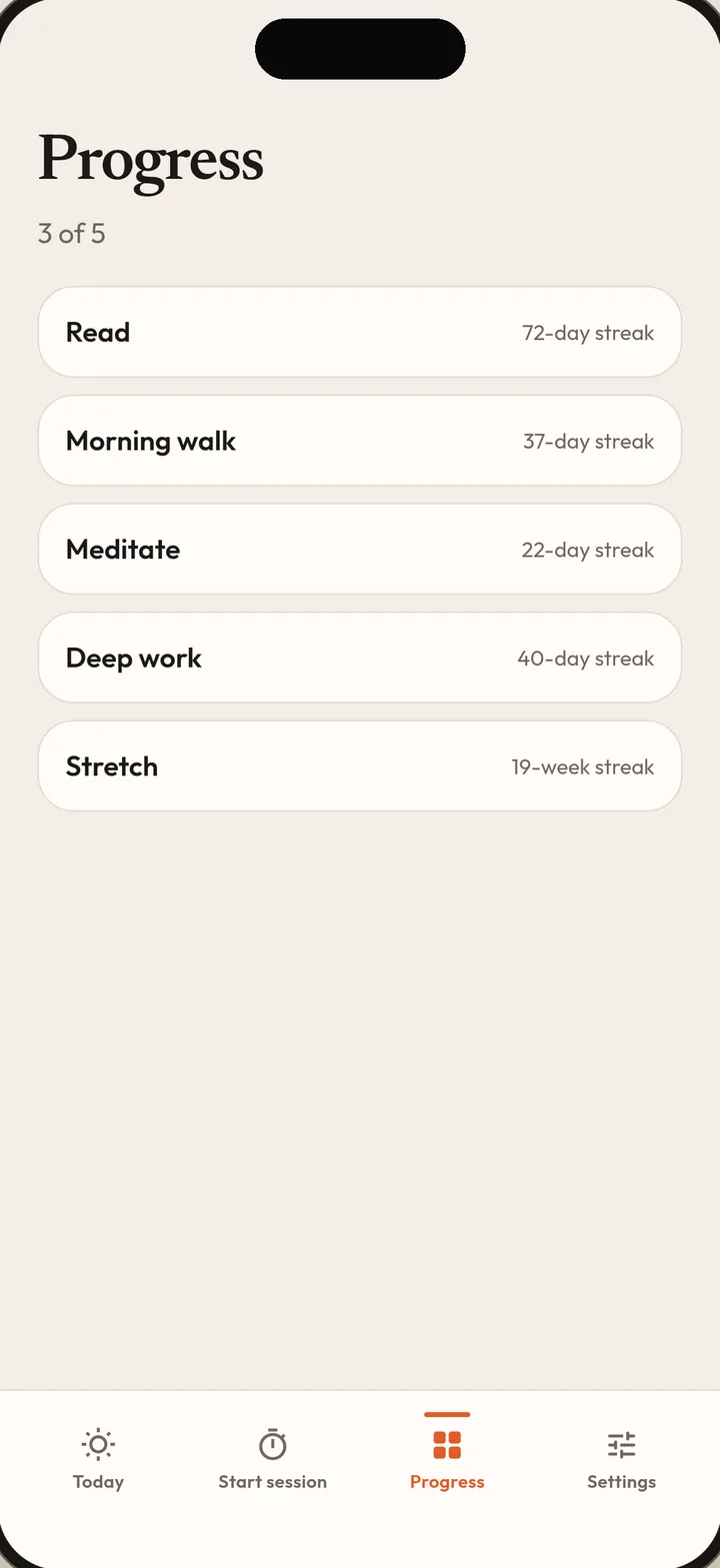
Every habit and every streak in one place.
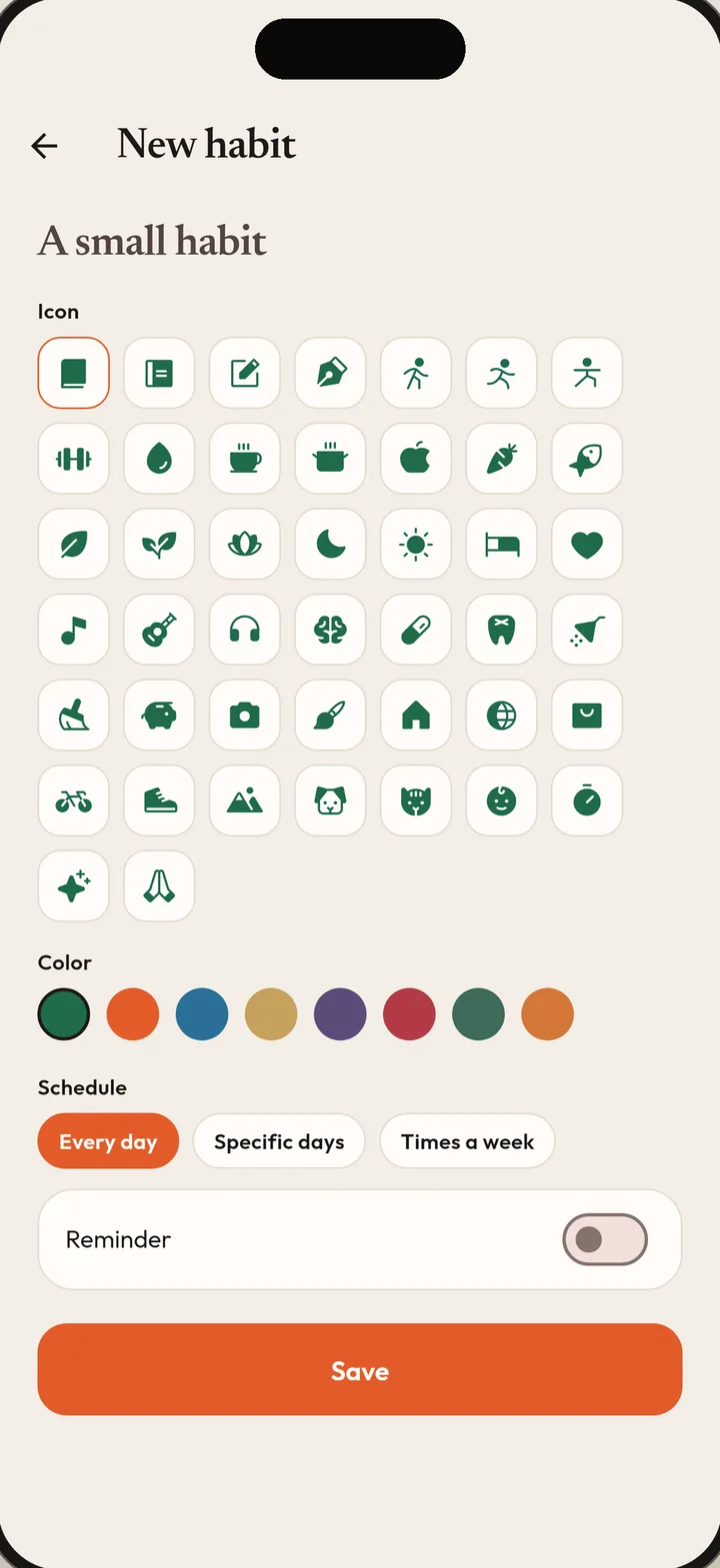
Every day, chosen weekdays, or a few times a week.
No account. Your data stays on your iPhone.
Features
Schedule a habit every day, on specific weekdays, or a number of times per week. Give each habit its own icon and color. One tap to check in, one tap to undo.
Every streak allows a rest day each week, so one off day doesn’t erase your progress. Mark a rest day yourself when you need one.
Start a 25 minute focus session for reading, studying, writing, practice, or deep work. Finishing a session checks the habit in for you. End early and the time still counts.
One gentle reminder per habit, at the time you choose. No nagging and no pressure. Light and dark themes with a warm, paper-like look.
A Home Screen widget shows today’s habits. Follow the countdown of a running session on the Lock Screen and Dynamic Island with a Live Activity.
No sign-up and no account. Habits, check-ins, and sessions are stored on your device. No ads and no tracking. Export your data as a file or delete it at any time.
How it works
A habit comes first. A session is time spent on that habit. Check it in when you are done.
Add one small habit. Give it a name, an icon, a color, and a schedule that fits your week.
Choose the habit and start the timer. A Live Activity keeps the countdown on the Lock Screen and in the Dynamic Island.
Finishing a session checks the habit in for you. Or check in with one tap. Rest a day when you need to.
Free and Pro
Pro is unlimited habits, your full history, more themes, and session lengths that fit the day.
Pro is available as a monthly subscription, a yearly subscription with a 1 week free trial, or a one-time lifetime purchase. Prices are shown in the app before you buy.
No. KeepIt does not block apps or websites and never asks for Screen Time access. It keeps attention on the habit you chose.
No. There is no sign-up and no sign-in. Open the app and add a habit.
On your iPhone. Habits, check-ins, and sessions are stored on your device and are not uploaded. Export a copy as a JSON file from Settings > Export data, or remove everything with Settings > Delete data. Purchases are processed by Apple and RevenueCat.
Every streak allows one rest day each week (Monday to Sunday). A missed day uses it automatically, or you can mark a rest day yourself. A rest day keeps the streak going without adding to it, so a single day off does not end a streak. Today never counts against you until the day is over.
A session is time spent on one habit. Finishing a session checks that habit in for you. If you end early, the minutes are still saved to your history.
Yes. A Home Screen widget in small and medium sizes shows today’s habits, and a running session appears on the Lock Screen and Dynamic Island as a Live Activity.
English, Portuguese, Spanish, and German.
KeepIt is an iPhone app. It needs iOS 16.2 or later.
The free plan includes 3 habits, the latest week of history, light and dark themes, and a 25 minute session. KeepIt Pro adds unlimited habits, 20 weeks of history, the Dawn and Grove themes, and 15, 25, 45, and 60 minute sessions. Prices are shown in the app before you buy.
On your iPhone open Settings > your name > Subscriptions > KeepIt, then tap Cancel. Cancel at least 24 hours before the trial or period ends to avoid the next charge. Deleting the app does not cancel a subscription.
Add one small habit. Start a session when you’re ready.